File type filters
Type filters narrow the current directory by file category. The tags above the file list let you view folders, files, or specific types such as documents and web pages.
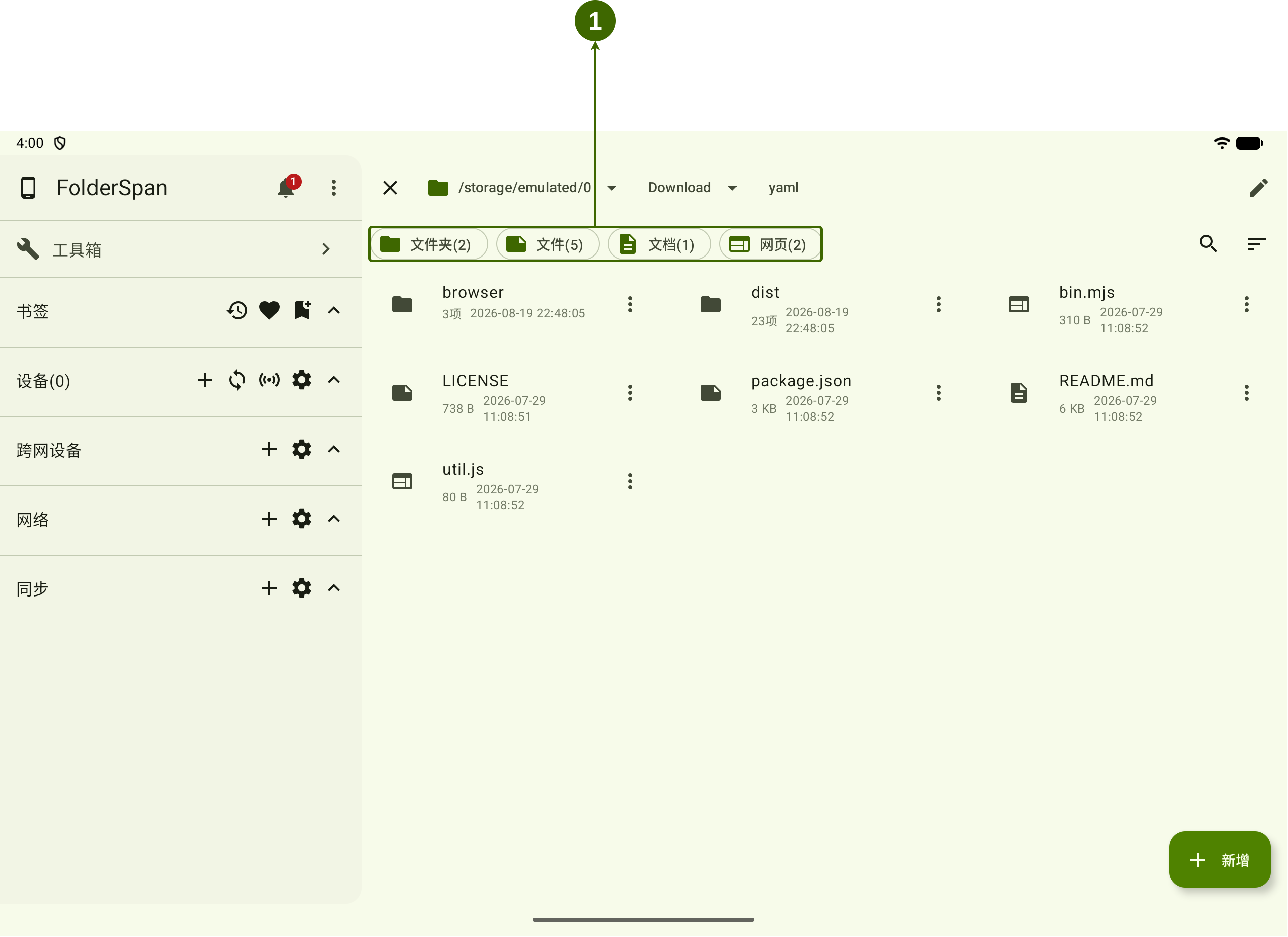
Page layout (screenshot numbers)
- Type filter bar: below the path bar, this shows the types available in the current directory. Selecting a tag updates the file list.
Features
- Basic types:
FoldersandFilesdistinguish directories from regular files. - Specific types: types such as
DocumentsandWeb pagesgroup files by extension. - Counts: the number after each type is its matching-item count in the current directory.
- Multiple types: select several types to see their matching entries together.
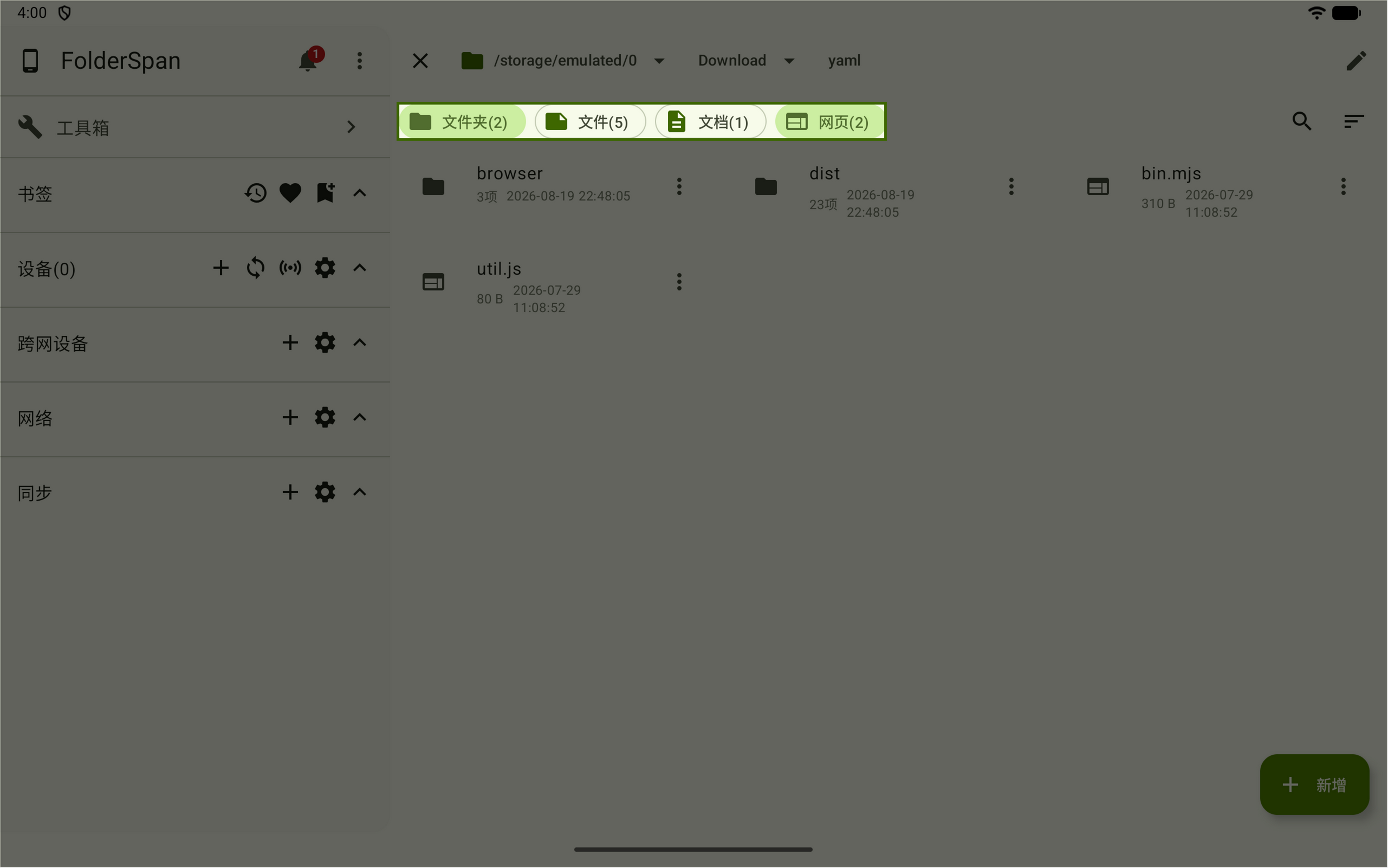
- Selection feedback: active types have a highlighted background; inactive types keep the normal style.
Use type filters
- Open the directory you want to browse.
- Select a type above the file list to show matching entries.
- Select more types if needed.
- Select an active type again to remove that condition.
The example has Folders and Web pages selected and shows only those entries.
Manage types
Use the management pages to maintain types and their file extensions:
- Filter type management: view, add, or delete types.
- Filter extensions: view, add, or delete a type's file extensions.
Learn how filtering works before changing its types and extensions.