Filter extensions
Home → Toolbox → Filter type management → Filter extensions
Maintain the file extensions assigned to a filter type. The page lists all extensions in the current type and supports adding and deleting them.
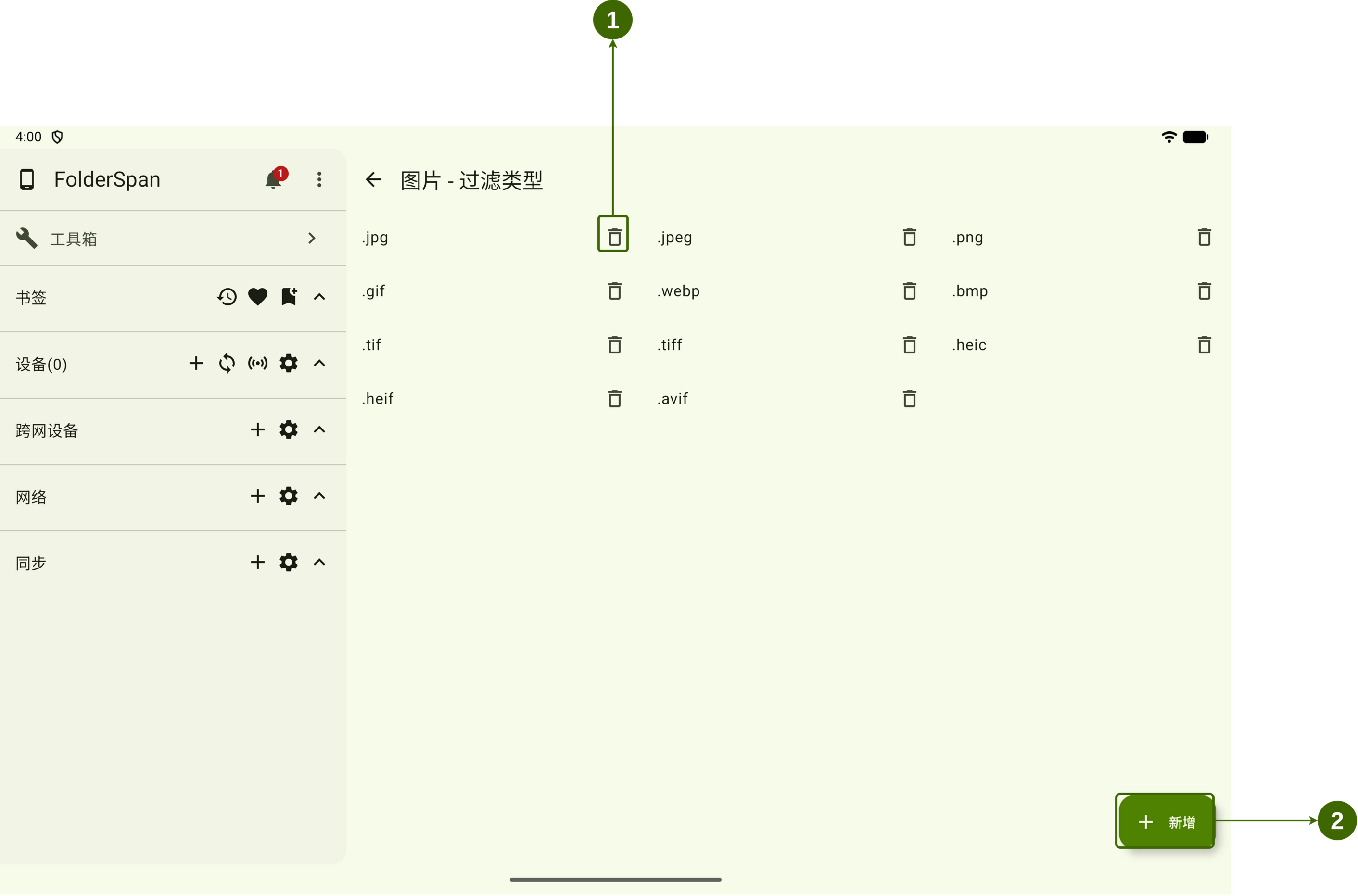
Page layout (screenshot numbers)
- Delete button: removes the corresponding extension.
- Add button: opens New extension to add an extension to this type.
Features
- Page title: combines the current type name and “Filter type”, such as
Pictures - Filter type. - Extension list: the extensions included in the type, such as
.jpg,.jpeg, and.png. - Classification: listed extensions belong to this type and are used when filtering files.
Operations
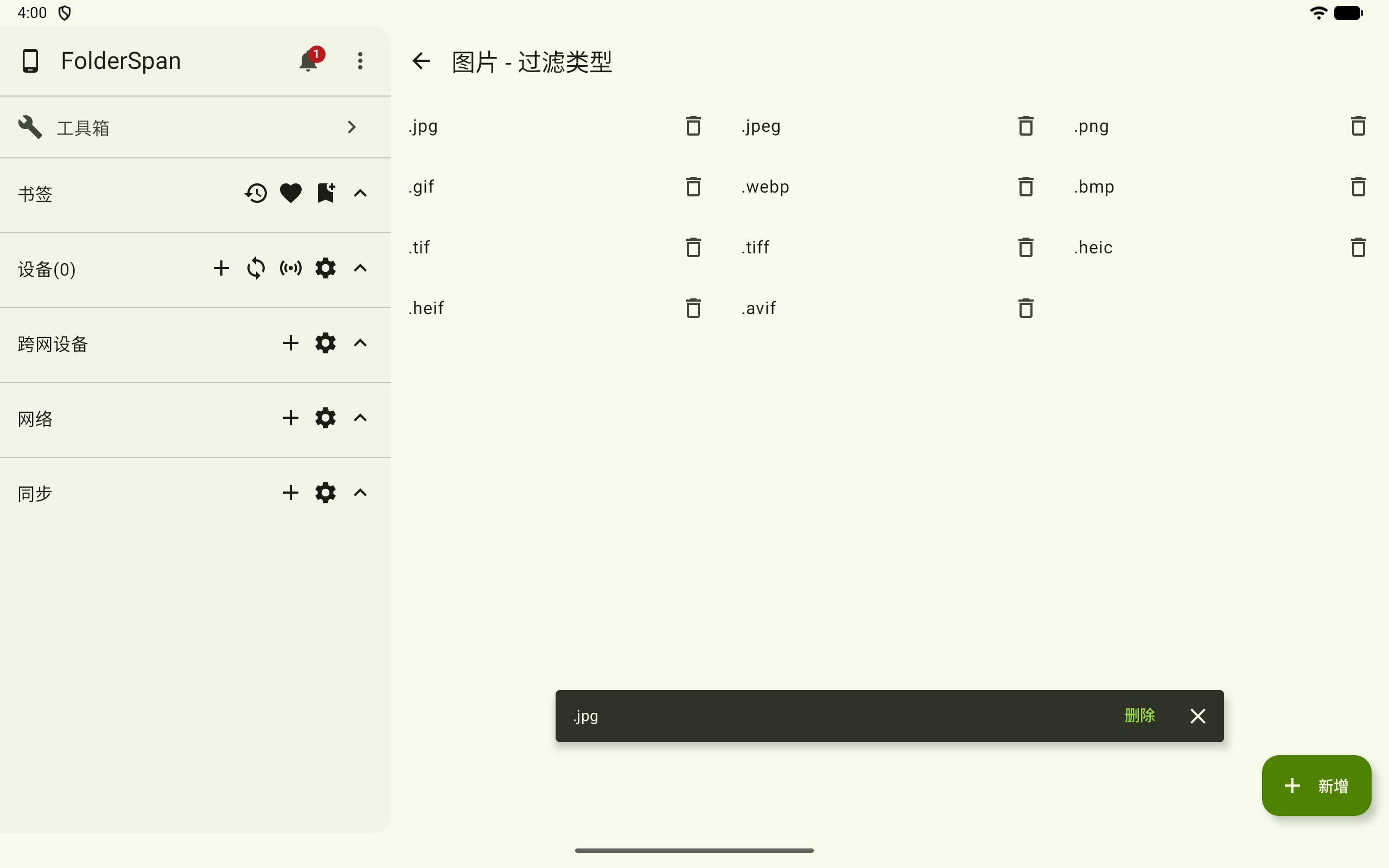
1. Delete an extension
- Select the delete button on the right of the extension.
- A confirmation bar containing the extension appears at the bottom.
- Select
Deleteto confirm, or close the bar to cancel.
2. Add an extension
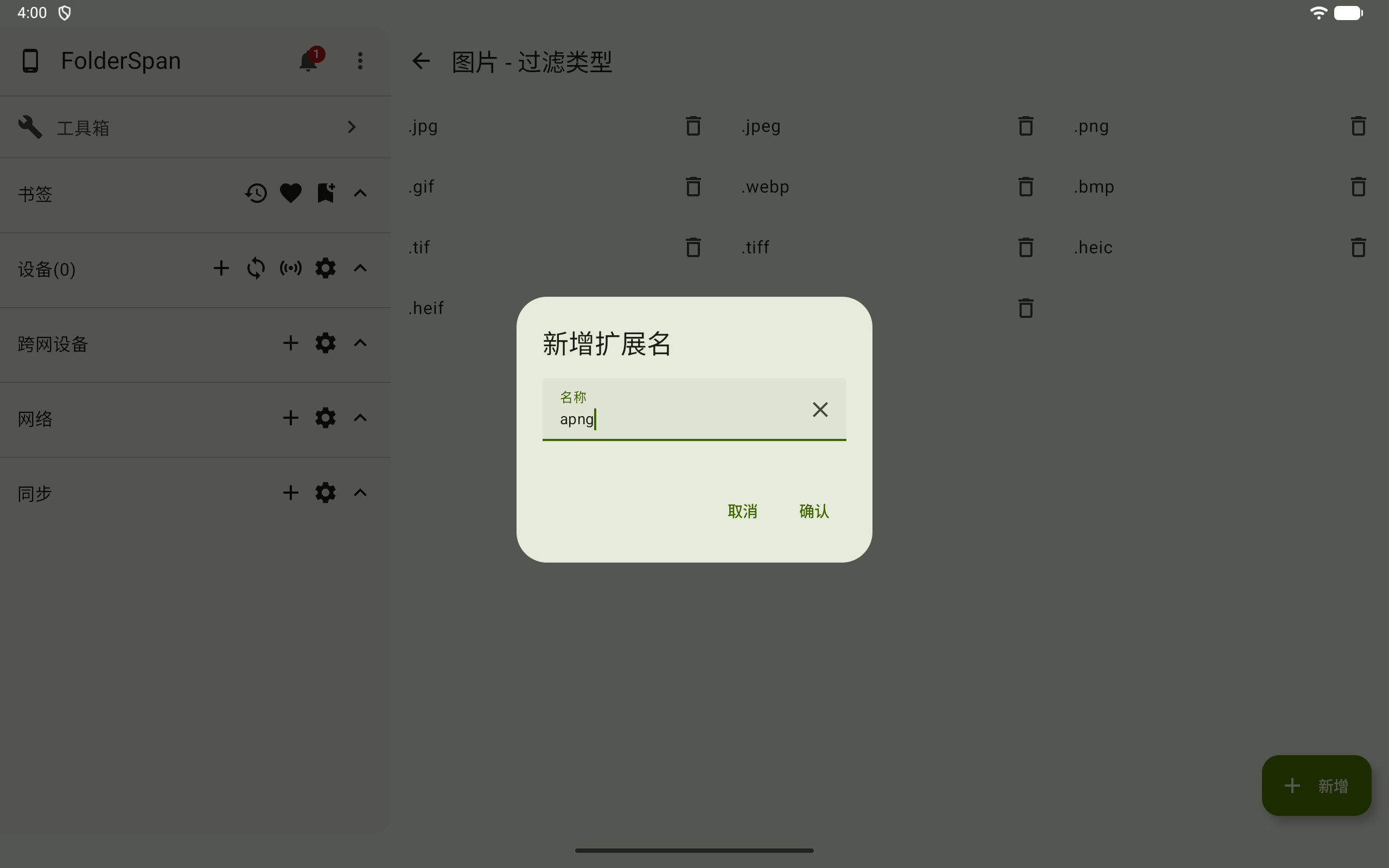
- Select
Addat the bottom right. - Enter the extension in the
Namefield of New extension, such asapng. - Select
Confirmto add it, orCancelto close without saving.