Home
The home screen has two columns: a persistent sidebar and a dynamic content area. The area on the right changes to the page selected in the sidebar.
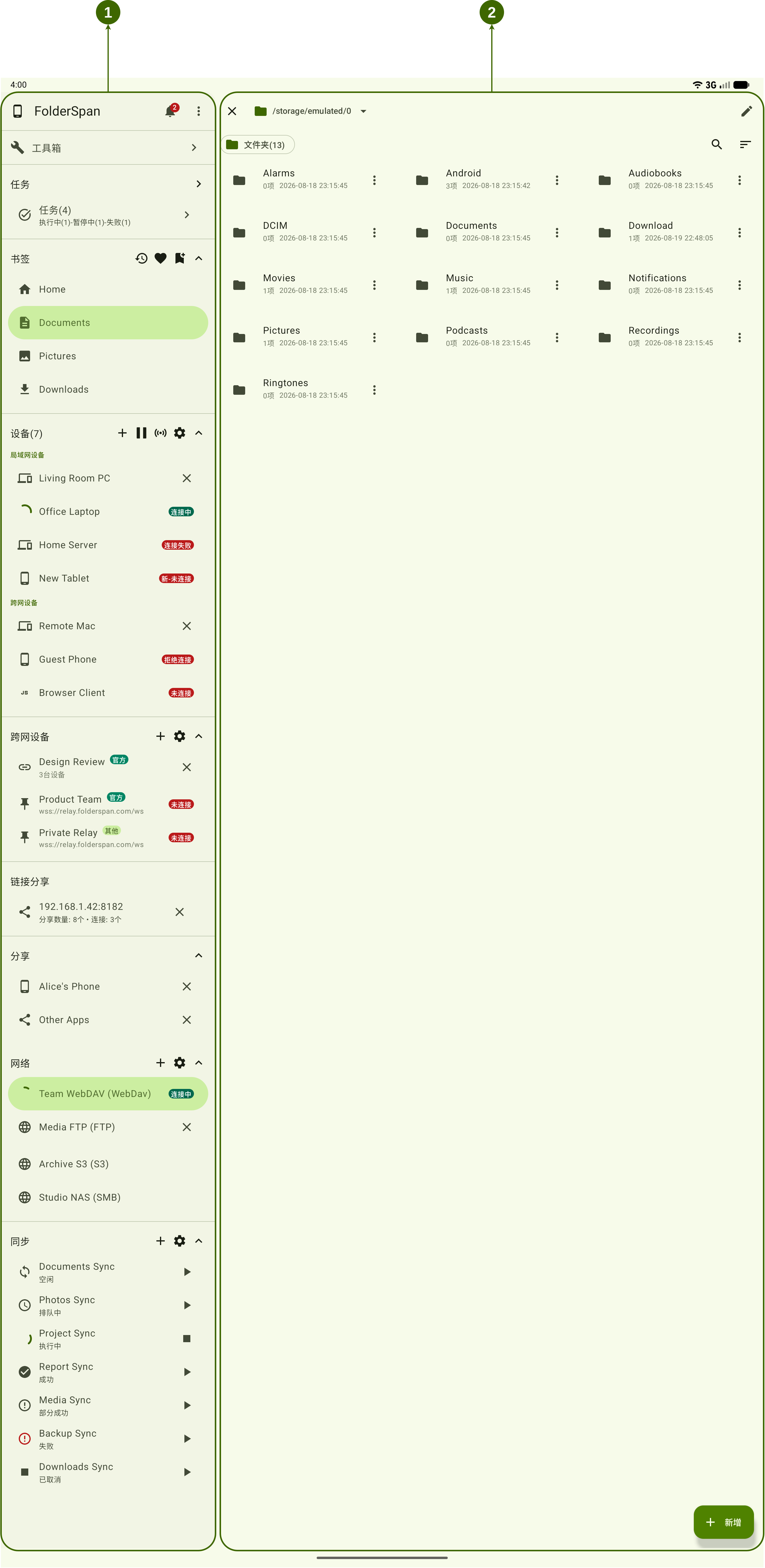
Page layout (screenshot numbers)
- Sidebar: provides access to Toolbox, Tasks, Bookmarks, Devices, Cross-network devices, Link sharing, Sharing, Network, and Sync. It remains visible as you switch pages.
- Dynamic content area: displays the page selected in the sidebar.
Areas
1. Sidebar
- Top area: the application name, notifications, and more menu.
- Toolbox: opens common tools and management features.
- Tasks: shows the total number of file tasks and counts for states such as running, paused, and failed. Open the task page to view and manage progress.
- Bookmarks: shows bookmarks and shortcuts on the right.
- Devices: shows the device count, with controls to add, refresh, connect, and open settings.
- Cross-network devices: opens the cross-network devices page.
- Link sharing: shows the sharing service address, shared-item count, and connection count. Open an entry to view link sharing, or use its close button to stop the service.
- Sharing: lists available device or application sharing sources. Open an entry to browse its content, or use its close button to disconnect that share.
- Network: opens the network page.
- Sync: opens the sync page.
2. Dynamic content area
Selecting a sidebar entry opens its page in this area. The available content and operations depend on the selected feature.
Basic use
- Select a feature in the sidebar.
- Its page appears in the dynamic content area on the right.