Device roles
Roles combine Device permissions into assignable access policies. Each role contains a name, notes, and permissions. Assign it to a device in Manage devices.
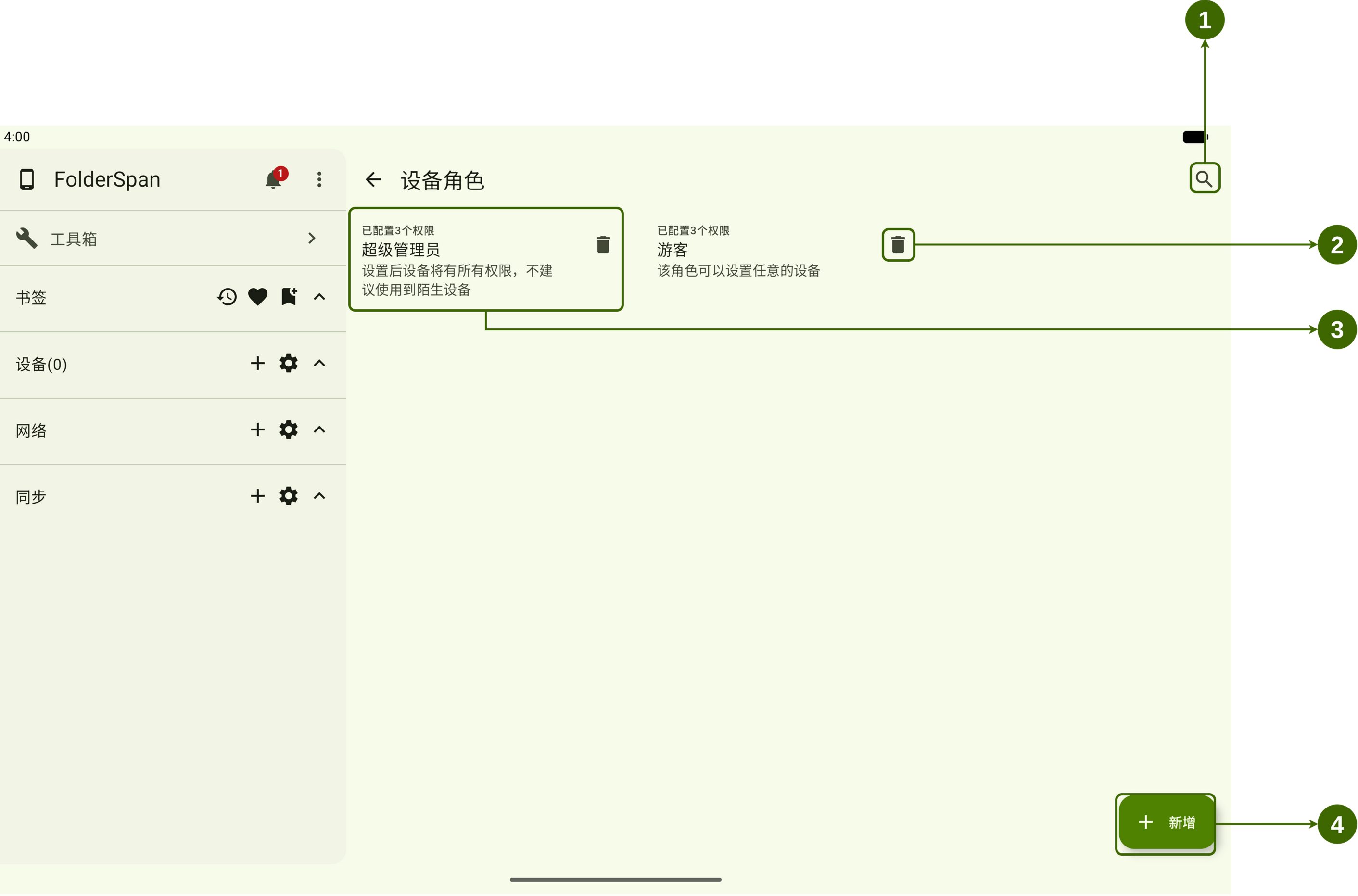
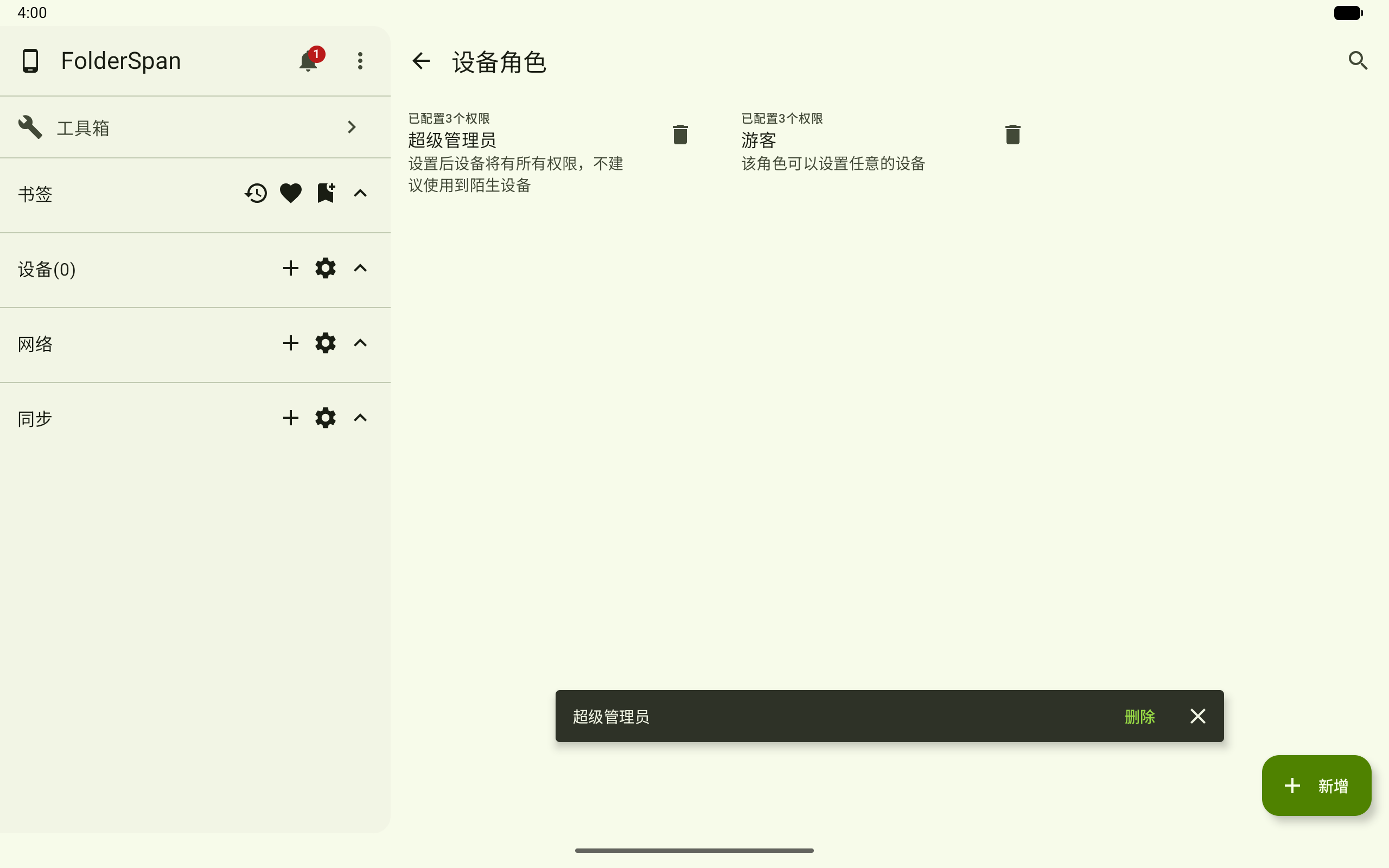
Page layout (screenshot numbers)
- Search button: opens Search roles to search names or notes.
- Delete button: deletes the role after a confirmation prompt at the bottom.
- Role entry: shows its permission count, name, and notes. Select it to edit.
- Add button: opens New role.
Role information
- N permissions configured: the number of permissions associated with the role.
- Role name: identifies the role, such as administrator and guest in the screenshot.
- Notes: its purpose and scope.
- Permissions: the paths and operations available to devices using this role.
Operations
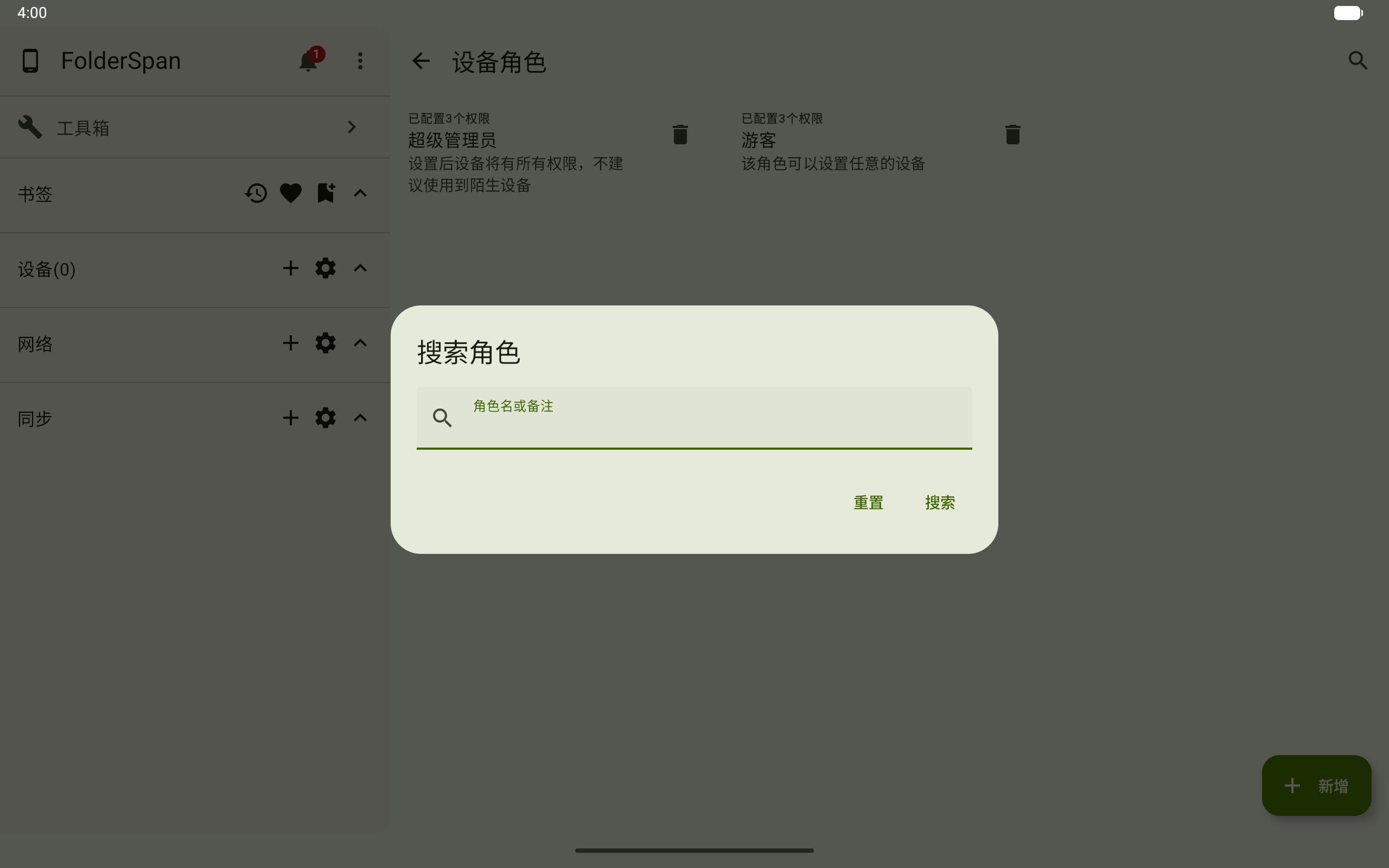
1. Search roles
- Select the search button (overview number
1). - Enter a keyword in
Role name or notes. - Select
Searchfor matching roles, orResetto clear the conditions.
2. Add a role
- Select
Add(overview number4) to open New role. - Enter a
Role name. It cannot be empty; the page shows a validation message if it is missing. - Add
Notesif needed. - Select permissions to associate with the role. Selected entries show a checkmark; select one again to remove it.
- Select
Saveat the bottom right to create the role.
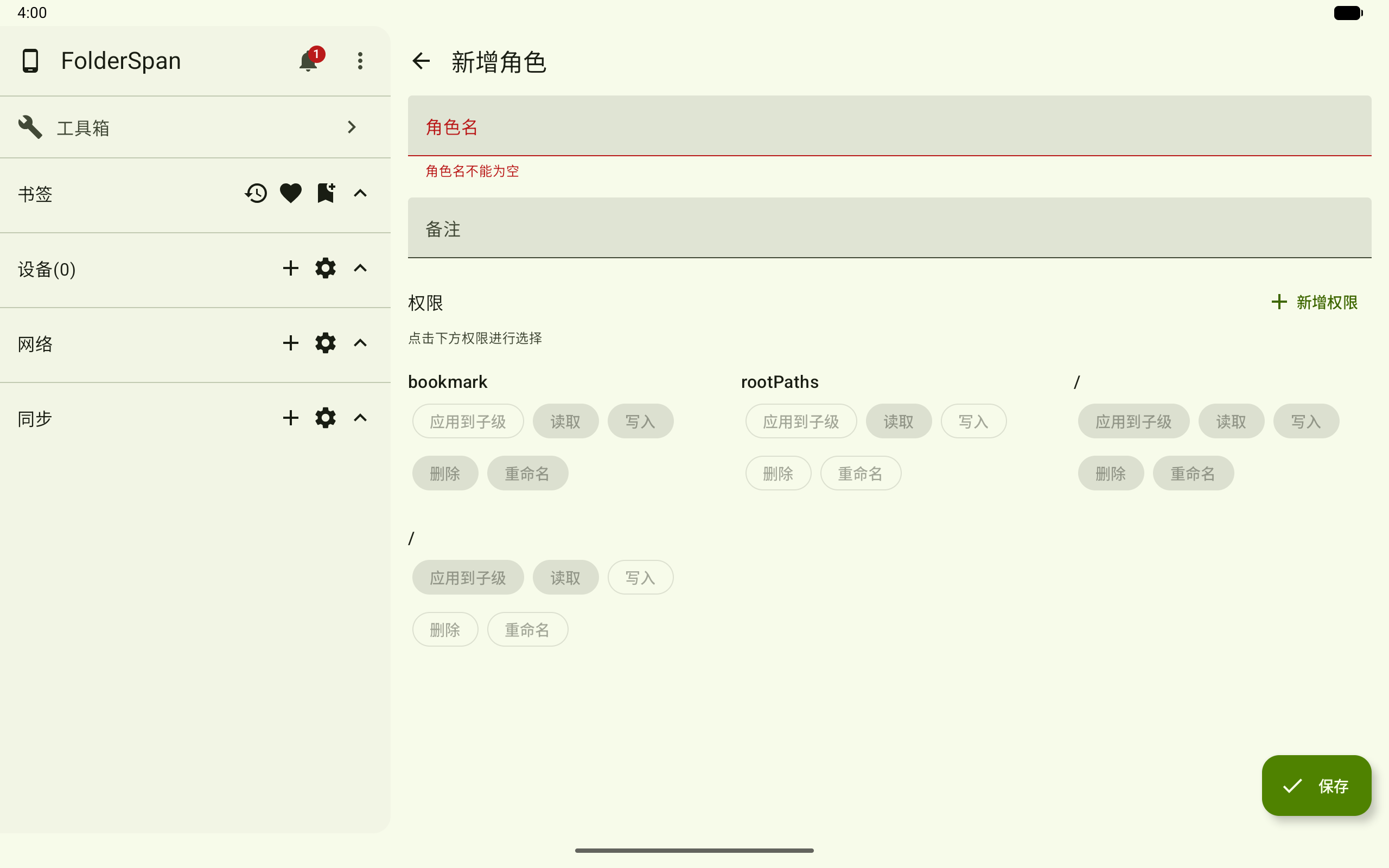
If the existing permissions are insufficient, choose Add permission beside the permission area to create one in Device permissions.
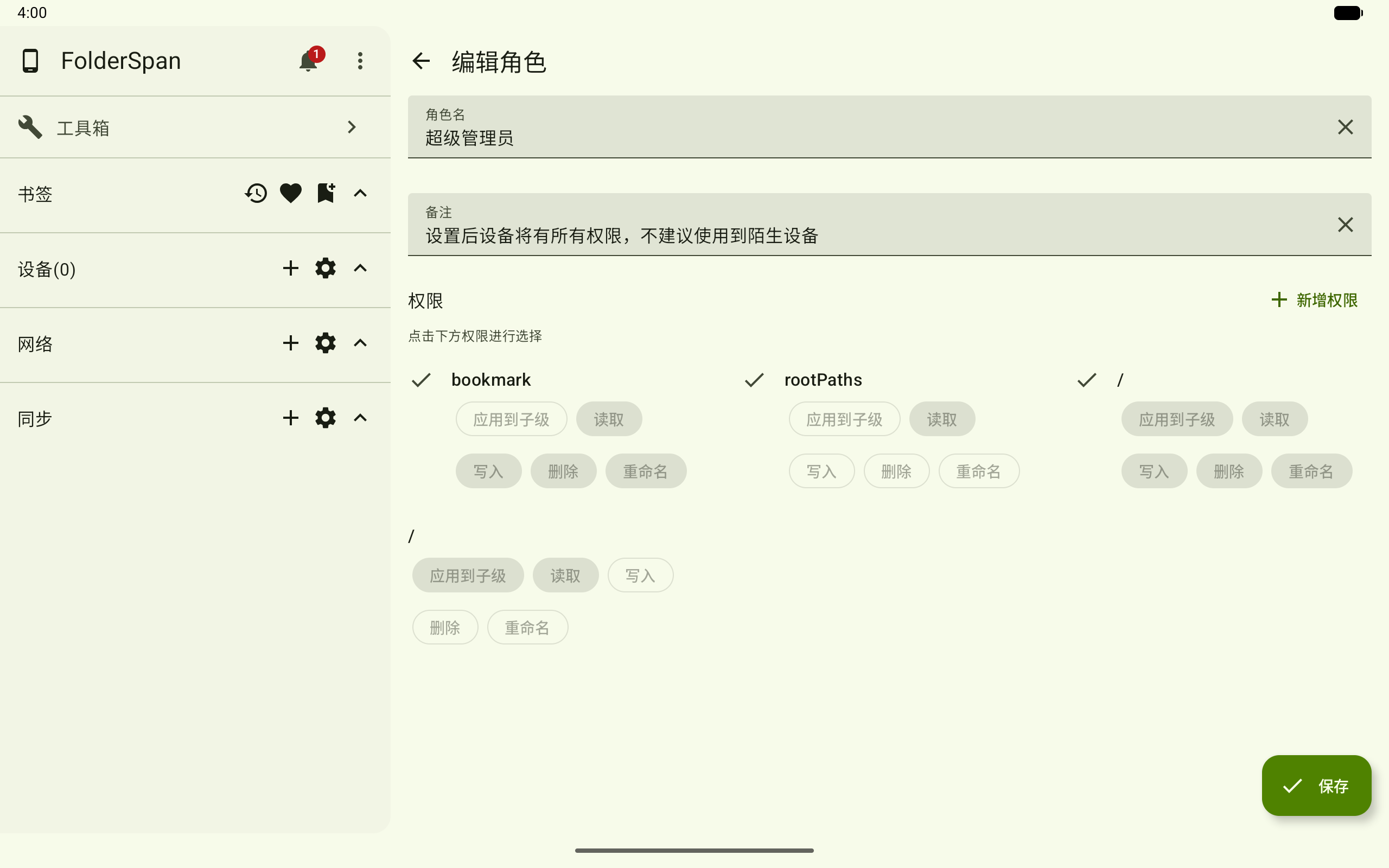
3. Edit a role
- Select a role entry (overview number
3) to open Edit role. - Change its
Role nameorNotes. Close buttons beside the inputs clear their contents. - Select permission entries to add or remove them. Selected entries show a checkmark on the left.
- Select
Saveat the bottom right.
4. Delete a role
- Select the delete button (overview number
2). - Check the role name in the bottom confirmation.
- Select
Deleteto confirm, or close the prompt on the right to cancel.
Recommendations
- Create roles for specific access needs, such as read-only access or temporary guests.
- Assign narrower permissions to unfamiliar devices.
- Check selected permissions before editing a role to avoid expanding access unintentionally.